
Verification
KYC verification
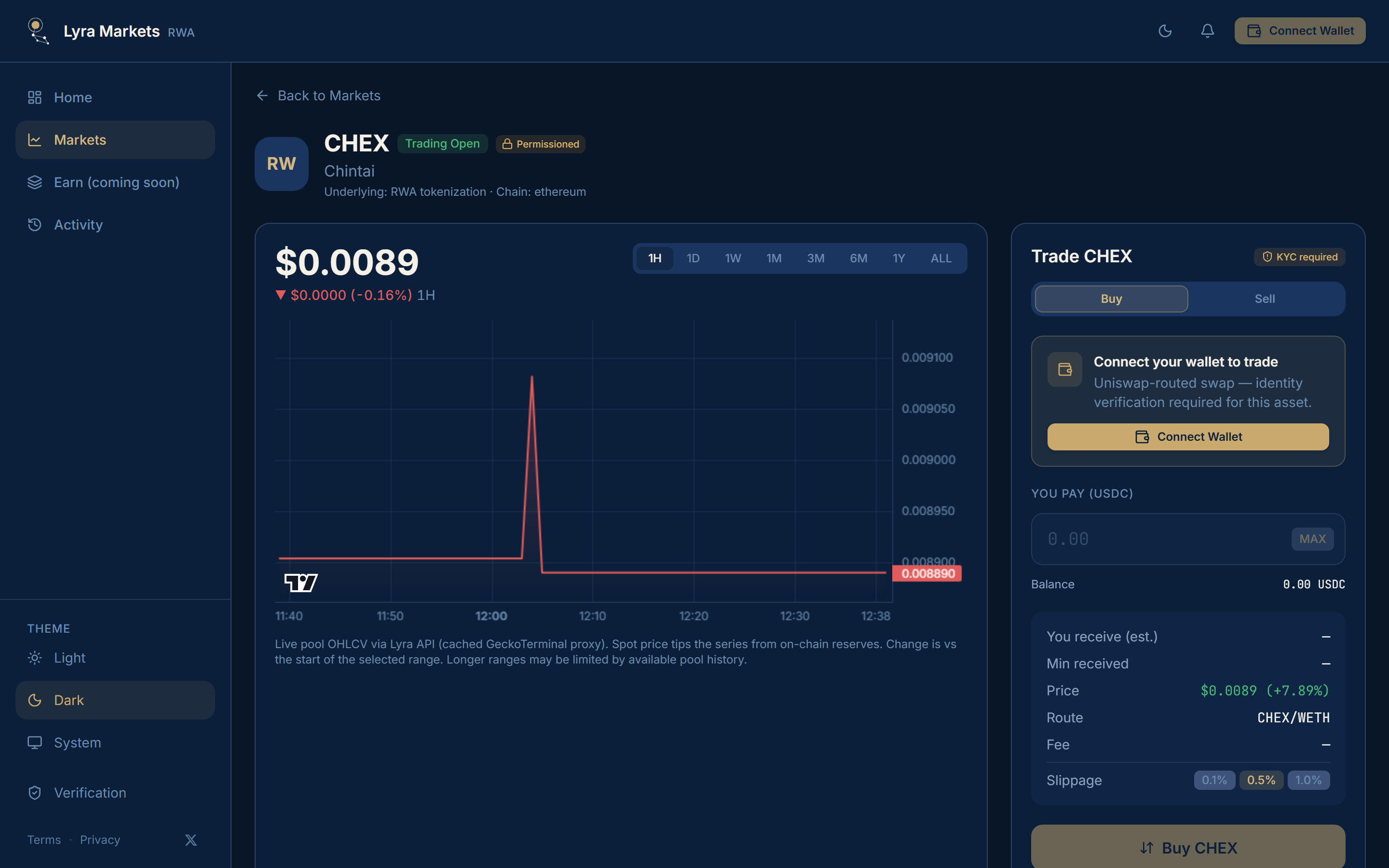
Some tokenized assets are permissioned. Lyra checks identity before those trades. Open Verification in the app sidebar, tap Verify in the header after you connect, or follow Complete verification from a gated trade panel.
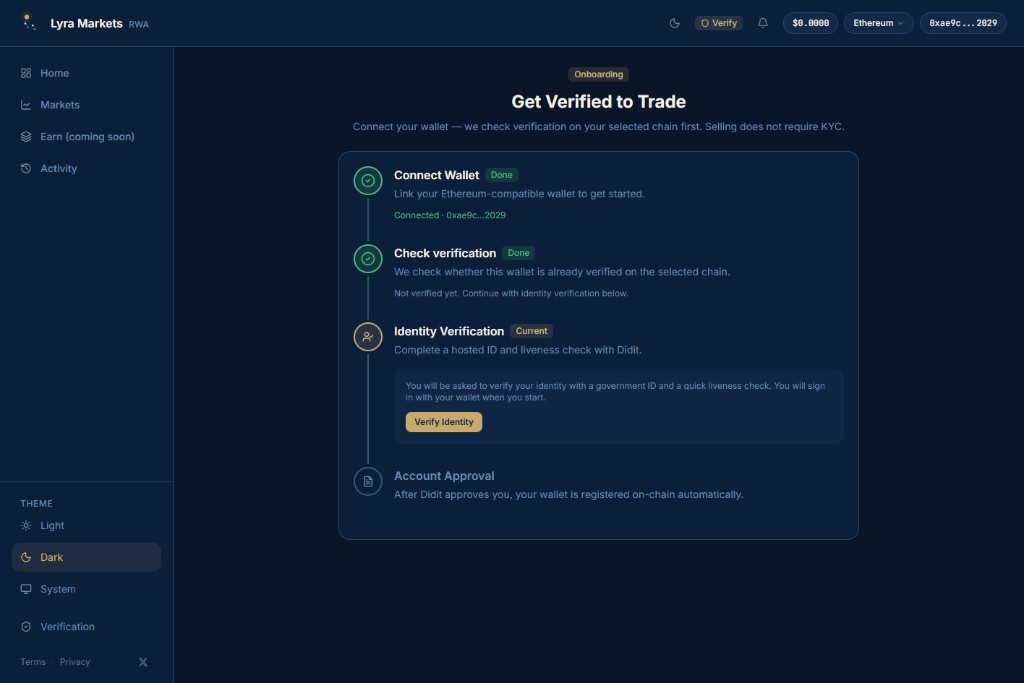
The onboarding copy is the product rule: Connect your wallet — we check verification on your selected chain first. Selling does not require KYC.
That sell exception applies to Lyra’s own AMM buys. Uniswap-routed permissioned pools still require verification to buy or sell.
When you need it
| Market | Badge | KYC |
|---|---|---|
| Permissionless Uniswap pool | Globe · No KYC | Not required |
| Permissioned / KYC-gated pool | Lock · KYC required | Required to trade |
After you connect, the header shows Verify, Finish KYC, KYC Pending, or Verified.
Complete verification
Production uses Didit for a hosted government ID and liveness check. The wallet is then registered on-chain.
Connect wallet
Link an Ethereum-compatible wallet. This is step 1 on Onboarding. When it succeeds, the step shows Done and Connected with your truncated address.
Check verification
Lyra looks up whether this wallet is already verified on the selected chain. If it is, you skip the rest. If not, you see Not verified yet. Continue with identity verification below.
Identity verification
Start the Didit flow with Verify Identity. Sign in with the wallet, then complete ID verification and Face verification. You can scan the QR code to continue on another device.
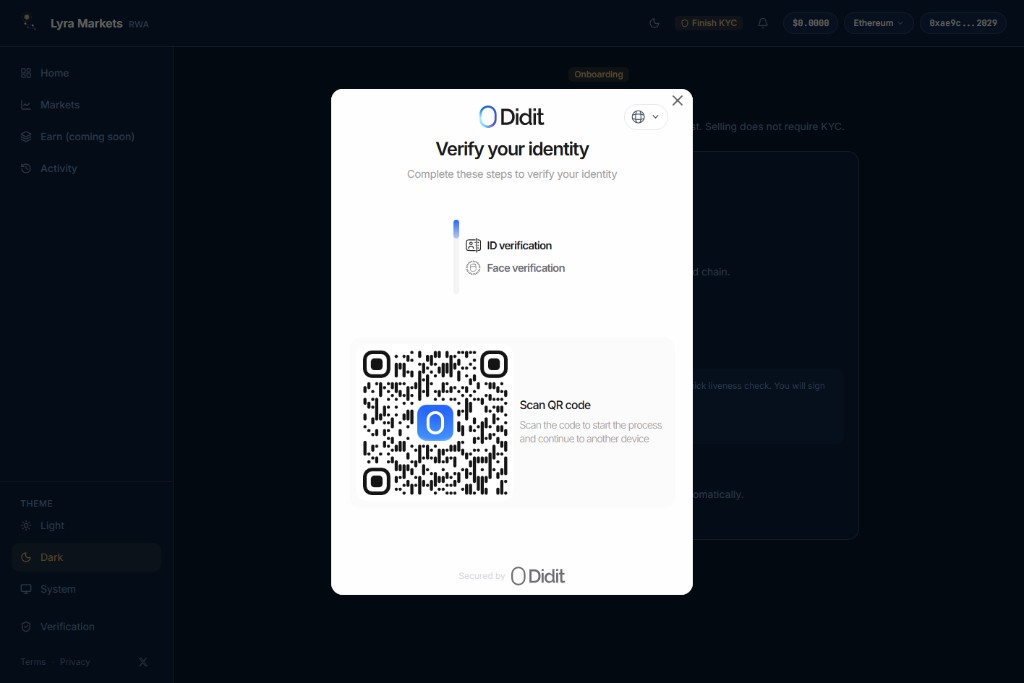
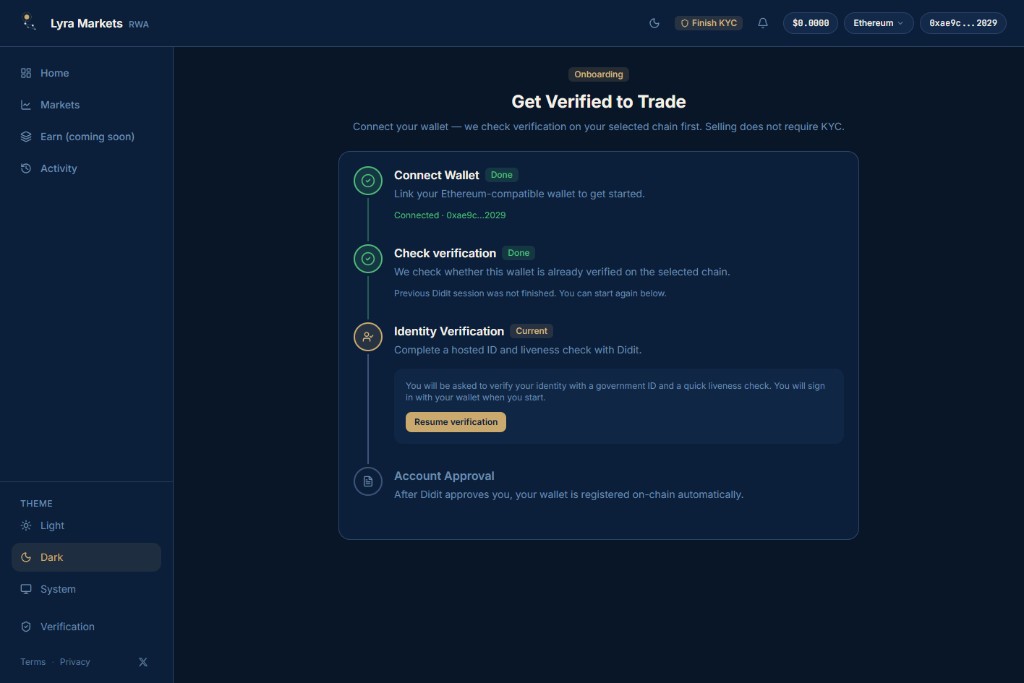
If you close the modal before finishing, onboarding says Previous Didit session was not finished. The header switches to Finish KYC, and the button becomes Resume verification.
Account approval
After Didit approves you, the wallet is registered on-chain automatically. The page polls until status is Verified, then you can start trading.
Statuses
| Status | Meaning |
|---|---|
| None | Not started. Header shows Verify. |
| Incomplete Didit session | Modal was opened but not finished. Header shows Finish KYC. |
| Pending | Didit or on-chain registration still running. Header shows KYC Pending. |
| Verified | You can trade gated markets |
| Rejected | Start again with a clear government ID |
If the wallet is already verified on-chain, Lyra does not ask you to sign in or upload again. Identity data is collected by Didit. See Privacy and Terms in the app.
WARNING
Do not try to bypass geographic restrictions or KYC on gated RWA tokens. Permissioned markets stay blocked until the connected wallet is verified.